Newsbreak
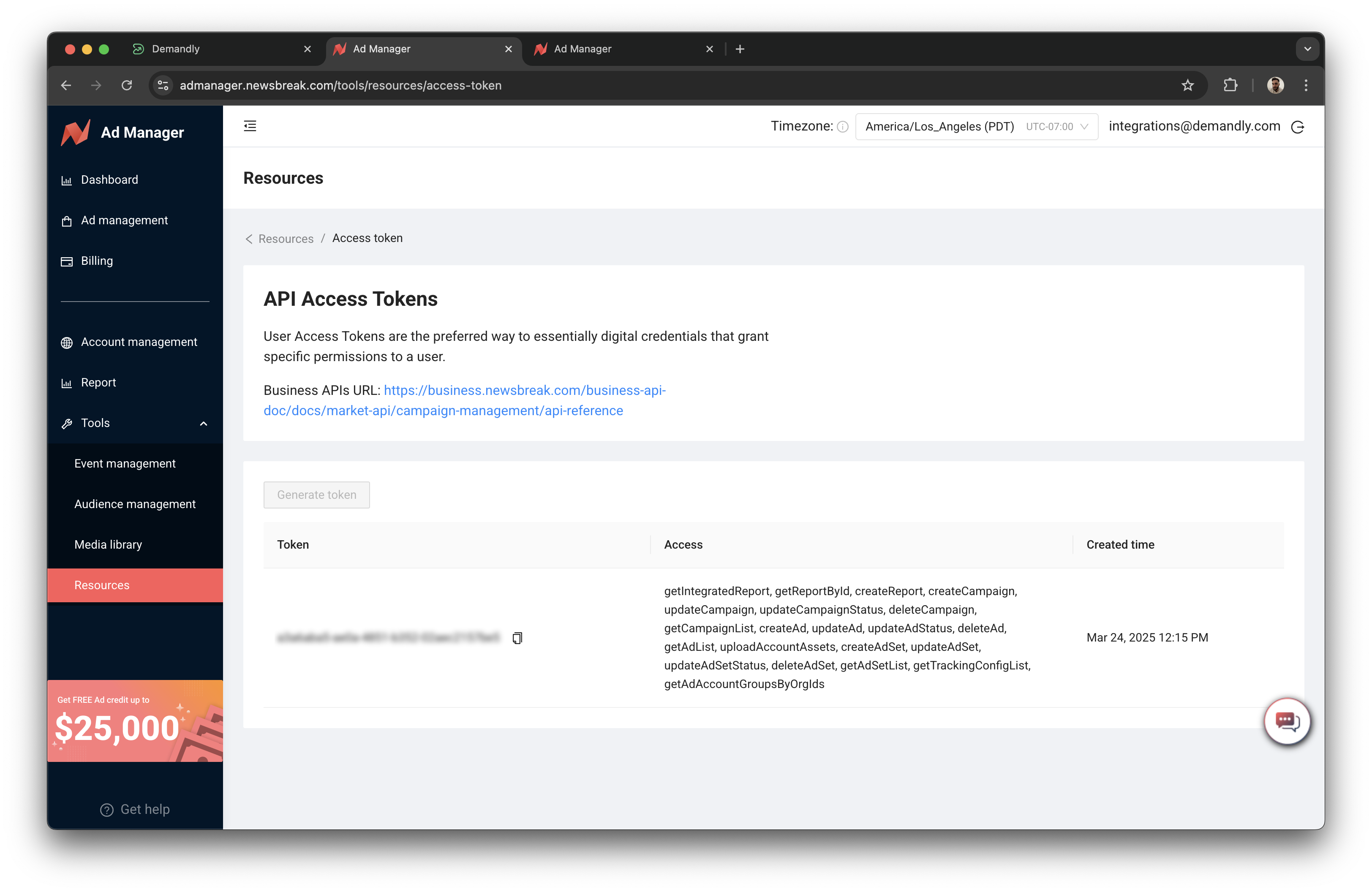
Step 1: Generate an access token
To generate an access token:
-
Go to this page: https://admanager.newsbreak.com/tools/resources/access-token
-
If there’s already a token in the list, you can use this if you would like.
-
Otherwise, click “Generate Token”.
Copy the token.
Step 2: Go back to the Demandly tab
Return to your Demandly browser tab and paste the token into the “Token” input field.
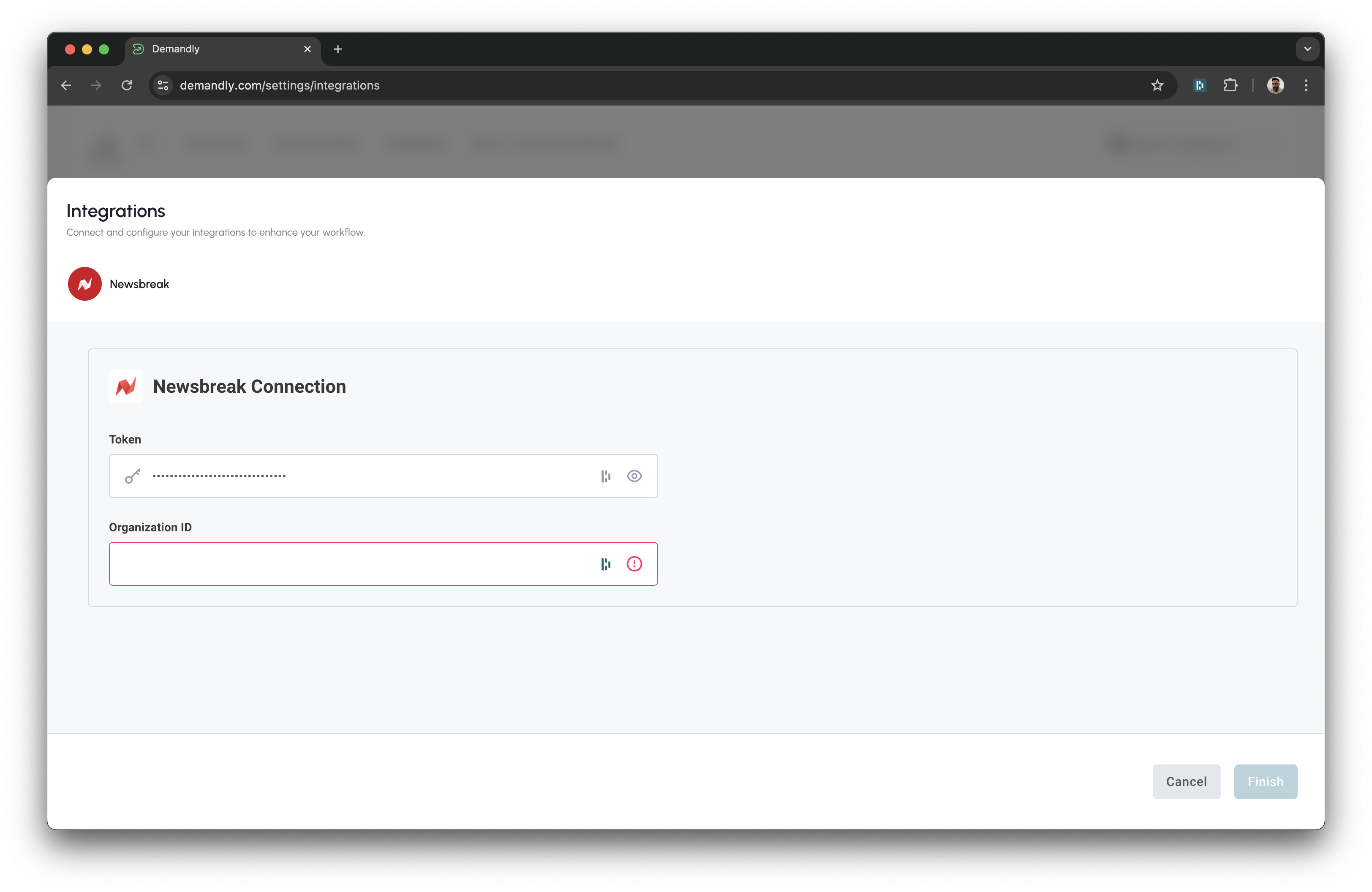
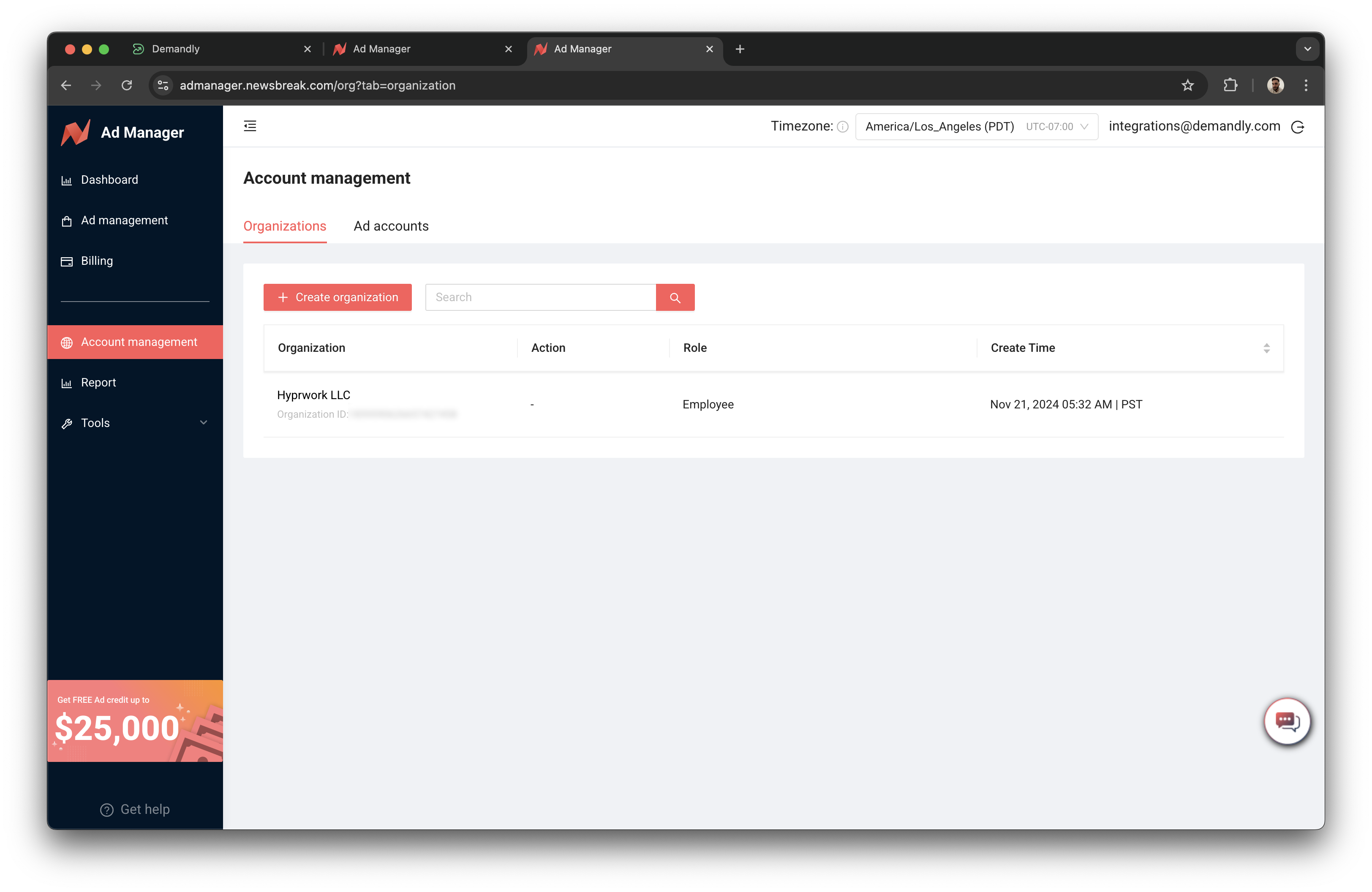
Step 3: Get the Organisation ID
To find your organisation ID:
- Go to this page: https://admanager.newsbreak.com/org?tab=organization
Copy the organisation number ID that appears underneath the organisation name.
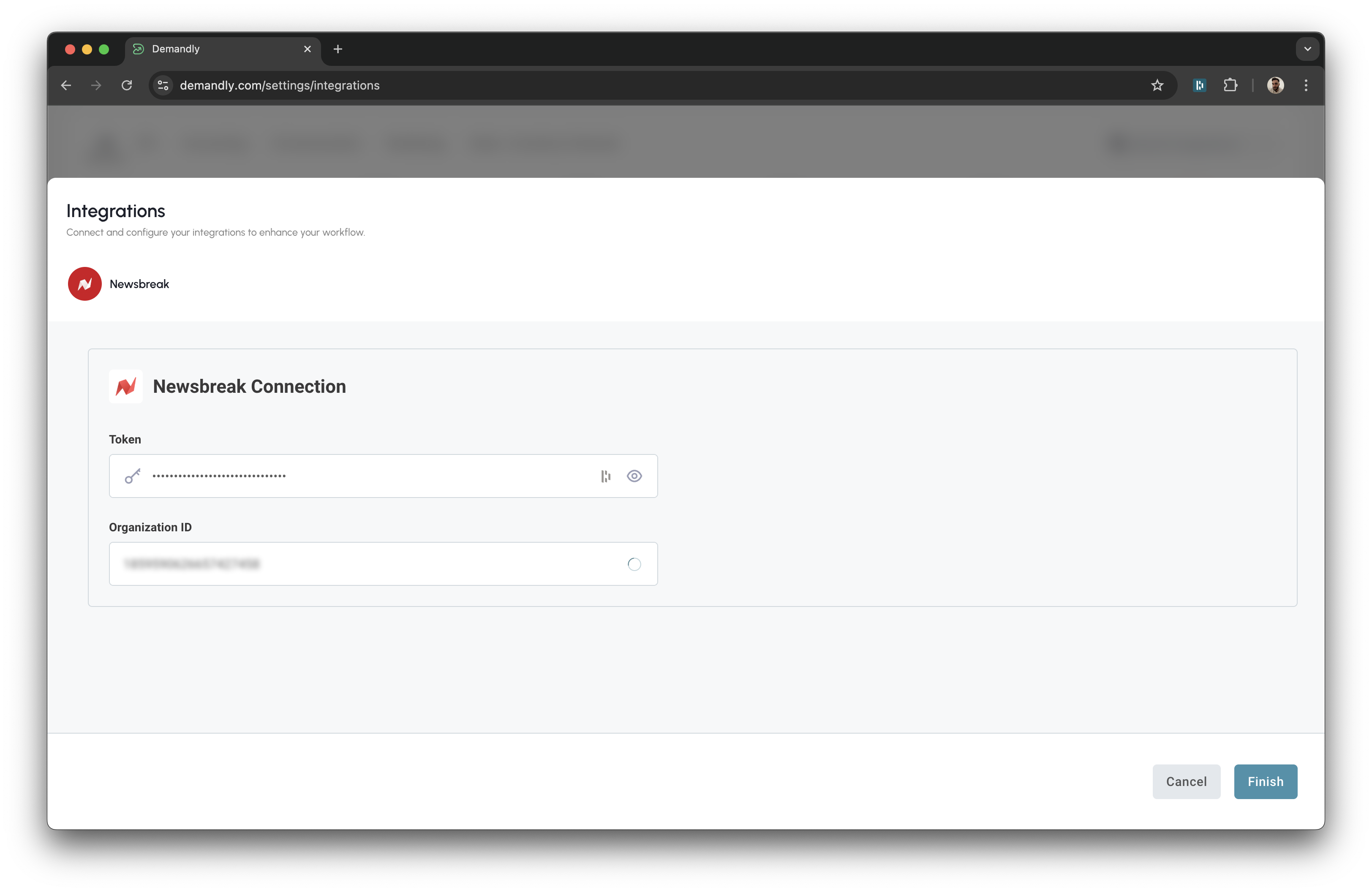
Step 4: Click “Finish” in the Modal
Click the “Finish” button in the modal to complete the integration setup.
Step 5: Verify Your Integration
You’ll now see a confirmation screen showing your Newsbreak integration status as “Running”. This confirms everything is working properly. Close this window by clicking the X in the top right corner to return to your integrations page.
That’s it! Your Demandly account is now successfully connected to your Newsbreak account.
If you need to make changes to this integration later, you can return to the integrations page and reconfigure or deactivate it as needed.
Need Help?
If you’re experiencing issues with your integration:
- Contact our support team at support@demandly.com