Magento
Step 1: Create a new integration
-
Open a new tab and head over to your magento admin dashboard
-
Click on the “System” menu item
-
Click “Integrations” in the menu.
-
Click “Add new integration” at the top right.
-
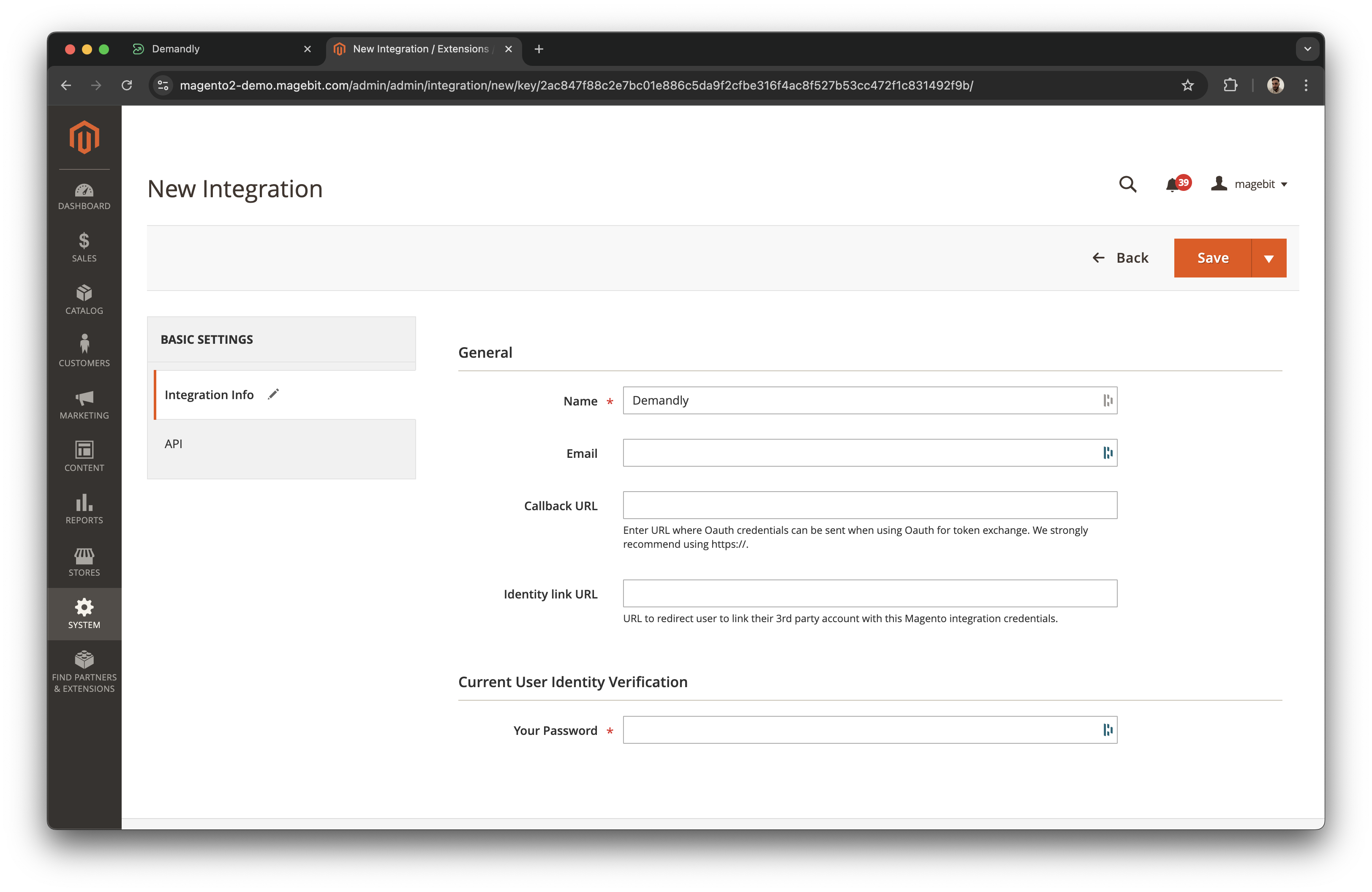
Fill in the “name” field with a descriptive name. Fill in the “password” field with your password.
Step 2: Get an access token for your store
-
Click the “API” tab on the left side and set the access to “All”
-
Click “Save”. You will now be sent back to the integrations list.
-
Click “Activate” next to your newly created integration.
-
Click the “Allow” button at the top right.
-
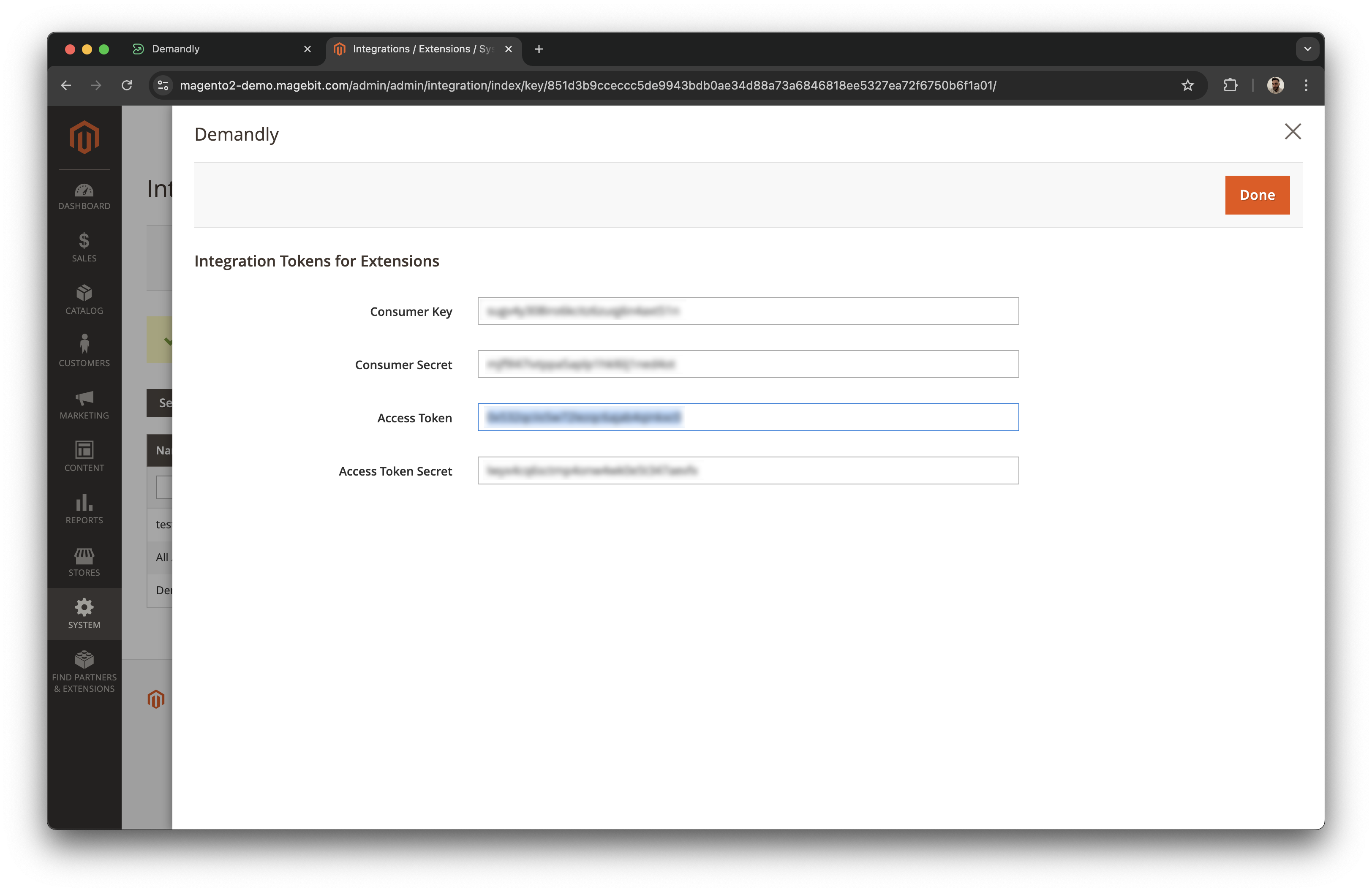
Copy the “Access token” from the access token field.
Step 3: Fill in details
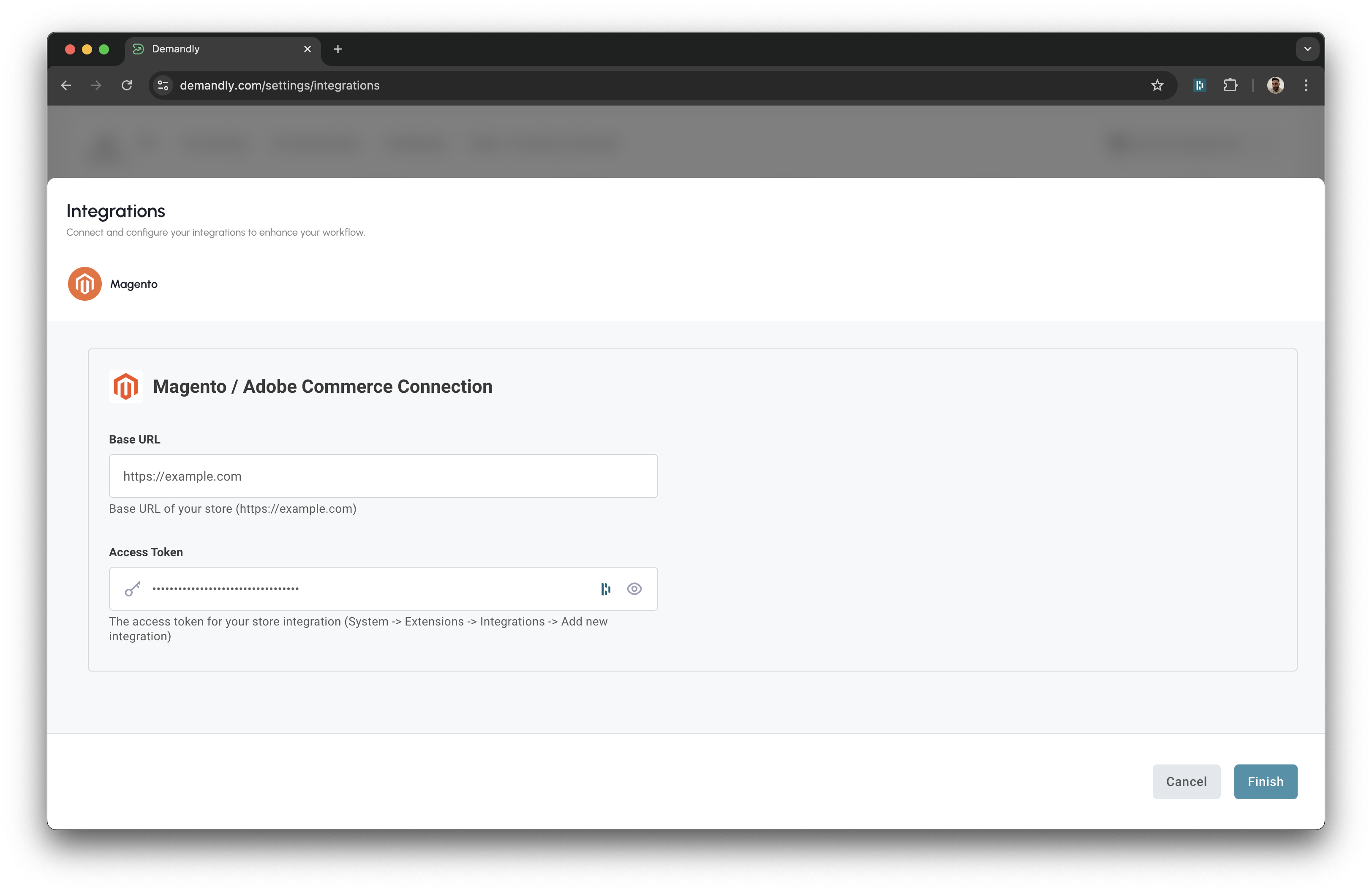
Head back over to the Demandly tab and enter both your websites base url and access token which you have just copied
Step 4: Verify Your Integration
You’ll now see a confirmation screen showing your Magento integration status as “Running”. This confirms everything is working properly. Close this window by clicking the X in the top right corner to return to your integrations page.
That’s it! Your Demandly account is now successfully connected to your Magento account.
If you need to make changes to this integration later, you can return to the integrations page and reconfigure or deactivate it as needed.
Need Help?
If you’re experiencing issues with your integration:
- Contact our support team at support@demandly.com